TL;DR: An Amazon Profit Margin Calculator helps sellers determine actual profitability by accounting for COGS, fees, and advertising costs. Understanding the difference between ROI, margin, and break-even price is essential for scaling a sustainable Amazon business.
Key Takeaways
- Accurate profit calculation requires inputting precise data on COGS, Amazon fees, shipping, and marketing.
- ROI measures efficiency relative to investment cost, while Profit Margin measures the percentage of revenue that turns into profit.
- Using a specialized Amazon ROI calculator prevents costly errors in pricing and budgeting.
Table of Contents
Note on marketplaces: This guide is specifically optimized for the US market.
Quick Answer
Success on Amazon is not defined solely by the revenue displayed in your Seller Central dashboard. It is defined by how much capital you retain after all expenses are paid. To determine this, sellers rely on an Amazon Profit Margin Calculator. This tool allows you to input your product costs, selling price, and various fees to see a clear picture of your net profit. However, to truly master your financial health, you must understand three critical metrics: Profit Margin, Return on Investment (ROI), and Break-Even Price. Confusing these metrics can lead to underpricing products or overestimating the viability of your inventory.
Profit margin vs. ROI vs. break-even price
While often used interchangeably in casual conversation, these three terms represent very different financial concepts. Profit Margin tells you how much of every dollar earned is actual profit (efficiency of the sale). ROI tells you how much profit you made relative to the amount of money you invested to generate that sale (efficiency of capital). Finally, the Break-Even Price is the minimum price you must sell an item for to cover all costs, resulting in exactly $0 profit. For a comprehensive understanding of revenue, you can also check out our detailed guide on the Amazon Revenue Calculator to see how these fit into the broader picture.
Definition Check:
- Margin: Focuses on the relationship between Profit and Revenue.
- ROI: Focuses on the relationship between Profit and Investment Cost.
- Break-Even: The point where Total Revenue = Total Costs.
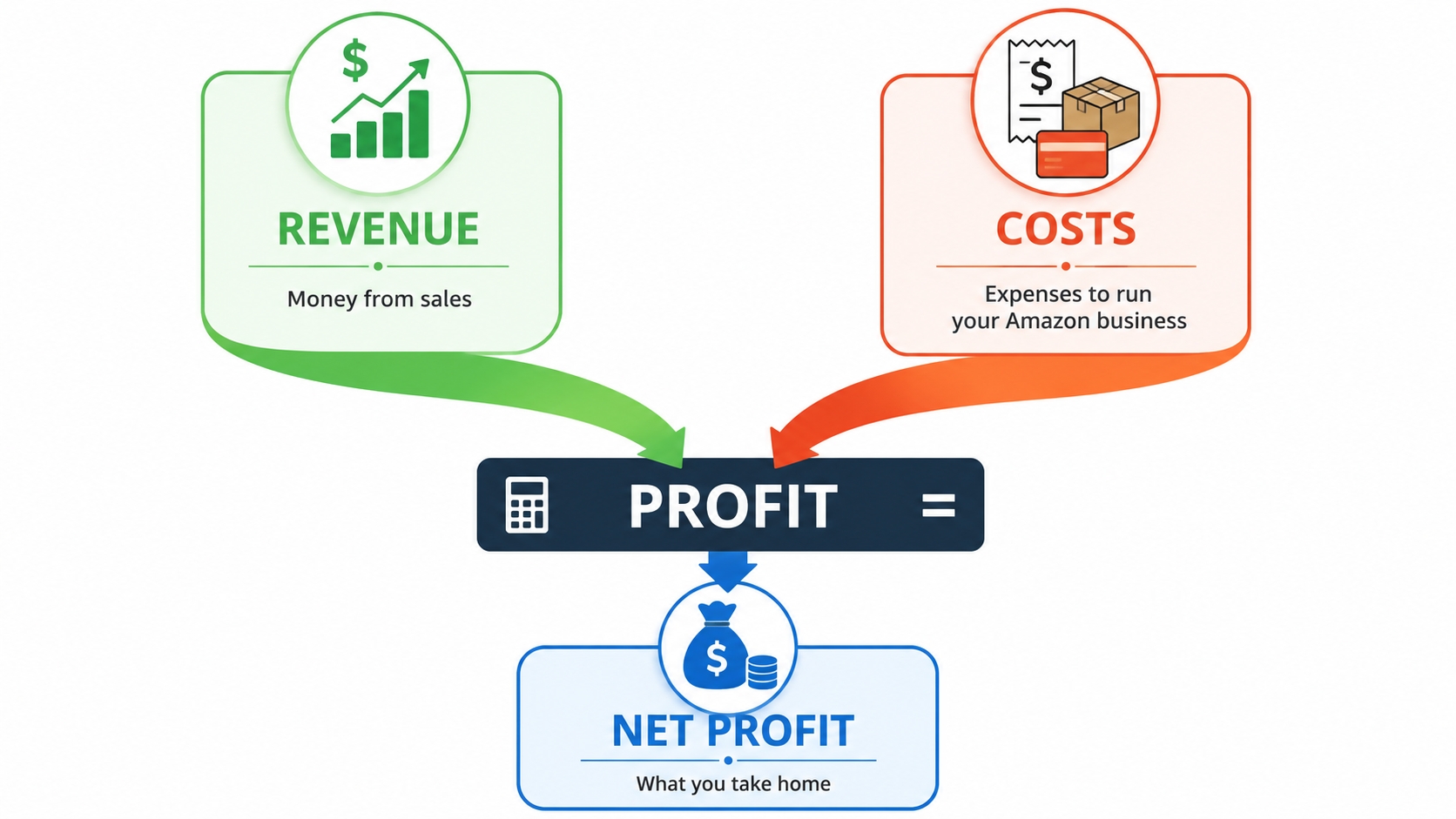
Key Profit Formulas for Amazon Sellers
To effectively use an Amazon Net Profit Calculator, you must understand the underlying mathematics. While software automates this, knowing the formulas helps you troubleshoot discrepancies and optimize your strategy.
Net profit formula
Net profit is the actual amount of money you take home after deducting all operating expenses, taxes, and interest from your gross profit. For Amazon sellers, this formula must account for specific platform costs.
Net Profit = Total Sales - (COGS + Amazon Fees + Shipping Costs + Advertising Costs + Other Expenses)
Profit margin formula
This is perhaps the most scrutinized metric by investors and successful sellers. It expresses net profit as a percentage of total revenue, allowing for easy comparison across different products or price points.
Profit Margin = (Net Profit / Total Revenue) × 100
ROI formula
ROI measures the efficiency of your investment. A high margin on a cheap item is good, but if the ROI is low, you might be better off investing your limited capital elsewhere. Note that your "Investment" typically includes the Cost of Goods Sold (COGS) and inbound shipping.
ROI = (Net Profit / Total Cost of Investment) × 100
Break-even price formula
The Break-Even Price is critical when launching a product or setting prices during a sale. It tells you the exact price where you stop losing money, but you also do not make a profit.
Break-Even Price = Total Fixed Costs / Quantity + Per Unit Variable Costs
For Amazon sellers, this can be simplified as: Break-Even Price = (Total Transaction Fees + Per Unit COGS + Per Unit Fulfillment Cost) / (1 - Refund Rate).
Formula table for quick reference
To assist you in quick calculations without always opening a spreadsheet, refer to the summary below. This table consolidates the essential equations needed to analyze your Amazon seller profit margin effectively.
| Metric | Formula |
|---|---|
| Net Profit | Sales - (COGS + Fees + Ads + Shipping + Other Expenses) |
| Profit Margin | (Net Profit / Total Revenue) x 100 |
| ROI | (Net Profit / Total Investment) x 100 |
| Break-Even Price | Total Costs / (1 - Refund Rate) |
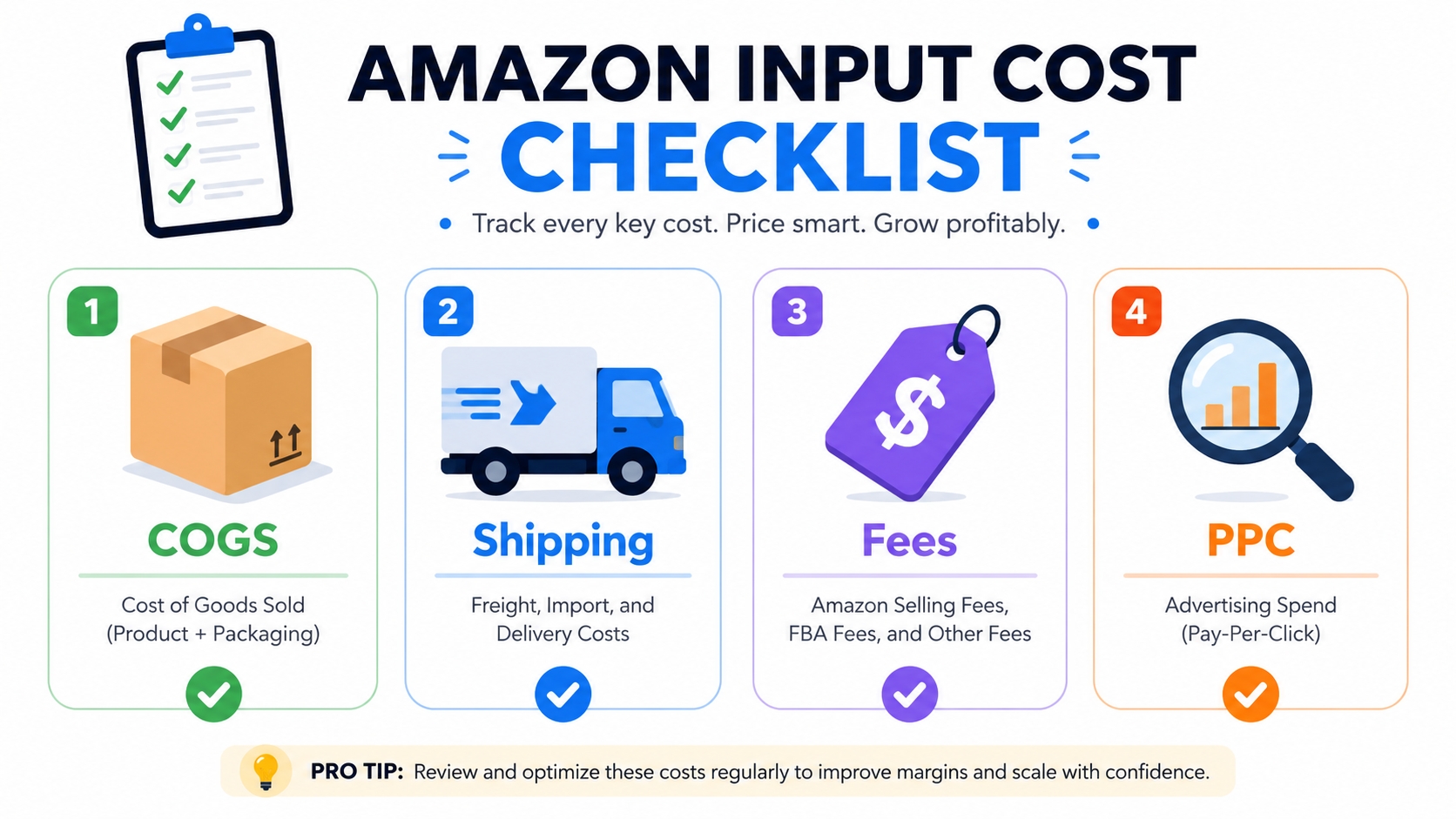
Inputs You Need Before Calculating
The accuracy of your Amazon Profit Margin Calculator depends entirely on the quality of the data you feed it. Before you begin, gather the following specific inputs. Overlooking even one of these can skew your margin calculation by several percentage points.
Selling price
This is the price at which the customer buys the product. If you are using the Amazon Break Even Calculator, this might be the variable you are solving for. However, for margin analysis, this is usually your proposed or current list price.
COGS
Cost of Goods Sold includes manufacturing costs, raw materials, packaging, and any labor required to assemble the product. In Amazon FBA, this is often the largest variable cost after fees.
Amazon fees
Amazon fees generally fall into two categories: Referral fees (usually 8-15% of the selling price) and FBA Fulfillment fees (based on the product's size and weight tier). You can read more about these specifics in our guide on Amazon FBA Fees Explained. Accurate input of these fees is non-negotiable.
Shipping and storage
Do not forget the cost to ship goods from your factory to the Amazon warehouse (Inbound freight) and monthly storage fees charged by Amazon. Long-term storage fees apply to inventory that sits unsold for more than 365 days.
PPC and promo costs
Pay-Per-Click (PPC) advertising expenses can eat up to 20% or more of your revenue for new launches. Additionally, include coupons and lightning deal fees. For a complete analysis of your Amazon seller profit margin, these marketing costs must be subtracted from revenue.
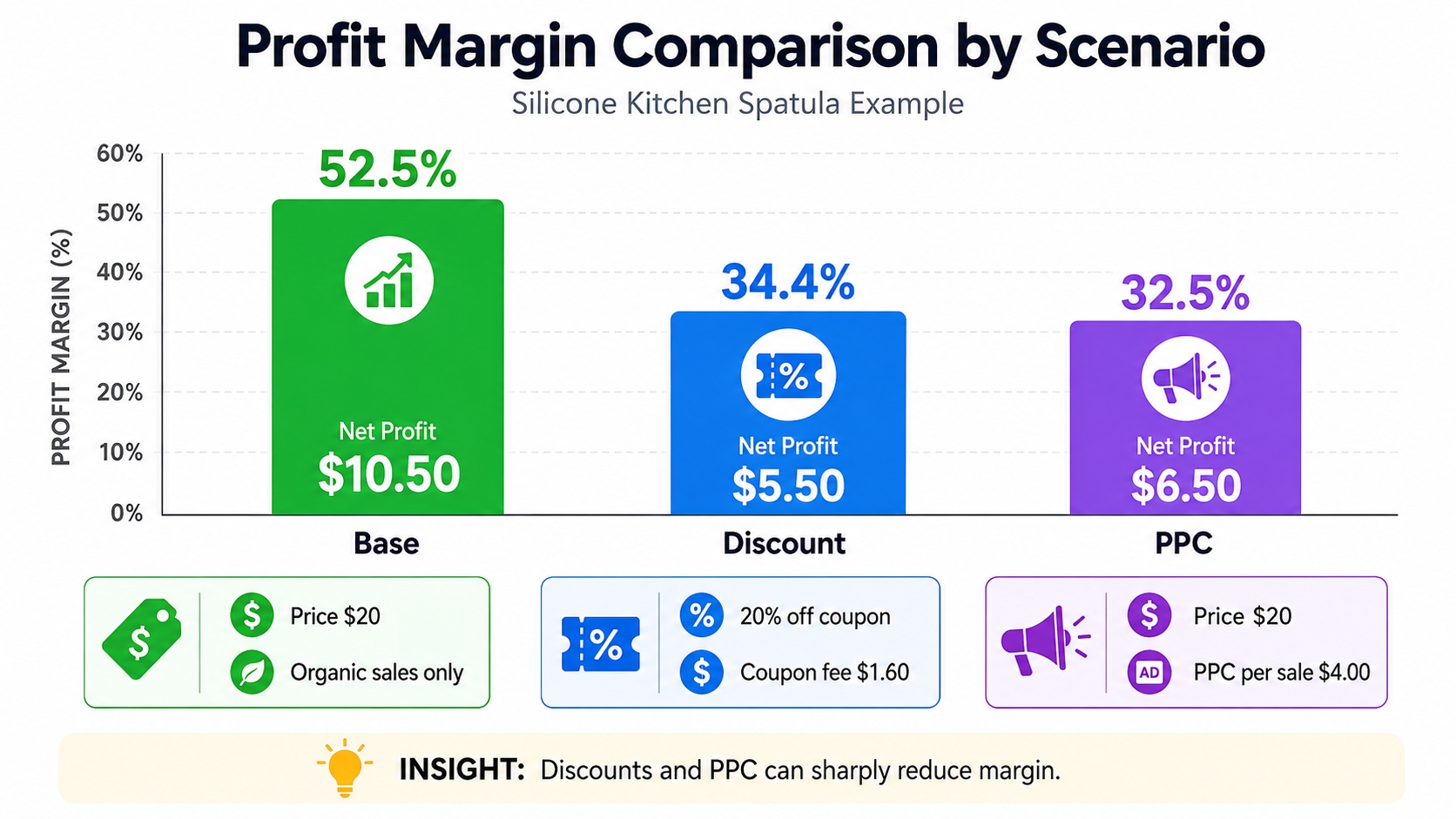
Step-by-Step Example
Let's apply these concepts to a real-world scenario. Imagine you are selling a silicone kitchen spatula. We will calculate your Amazon profit margin under three different scenarios to see how external factors impact your bottom line. This exercise demonstrates why a dynamic calculator, rather than a static mental model, is necessary.
Base scenario
Assume organic sales only, with no paid ads and no discounts.
- Selling Price: $20.00
- COGS & Inbound Shipping: $4.00
- Amazon Referral Fee (15%): $3.00
- FBA Fulfillment Fee: $2.50
Calculation: Revenue ($20) - COGS ($4) - Fees ($5.50) = Net Profit ($10.50).
Profit Margin: $10.50 / $20 = 52.5%.
ROI: $10.50 / $4.00 = 262.5%.
Discount scenario
Now, let's see what happens if you run a 20% off coupon to boost velocity.
- New Selling Price: $16.00 ($20 - 20%)
- COGS & Inbound Shipping: $4.00 (unchanged)
- Amazon Referral Fee (15%): $2.40 (Lower because price is lower)
- FBA Fulfillment Fee: $2.50 (unchanged)
- Coupon Fee ($1.60 max): $1.60
Calculation: Revenue ($16) - COGS ($4) - Referral ($2.40) - Fulfillment ($2.50) - Coupon ($1.60) = Net Profit ($5.50).
Profit Margin: $5.50 / $16 = 34.4%.
Notice how a 20% drop in price led to a nearly 19-point drop in margin.
PPC scenario
You revert to the Base Scenario Price ($20), but you must pay for ads to get sales.
- Revenue & Cost Base: Same as Base Scenario
- Net Profit (Base): $10.50
- PPC Spend per Sale: $4.00
Calculation: Net Profit ($10.50) - PPC ($4.00) = Final Net Profit ($6.50).
Profit Margin: $6.50 / $20 = 32.5%.
How margin changes by assumption
This comparison highlights a harsh reality of e-commerce. Your profit margin is not static. In our Base scenario, you enjoyed a healthy 52.5%. However, once you introduce marketing costs (PPC) or discount coupons to compete, your margins can shrink to roughly 32-34%. Using an Amazon Net Profit Calculator allows you to model these assumptions before you spend money on inventory, ensuring your margins remain healthy even when ad spend increases.
Mistakes That Make Margins Look Better Than Reality
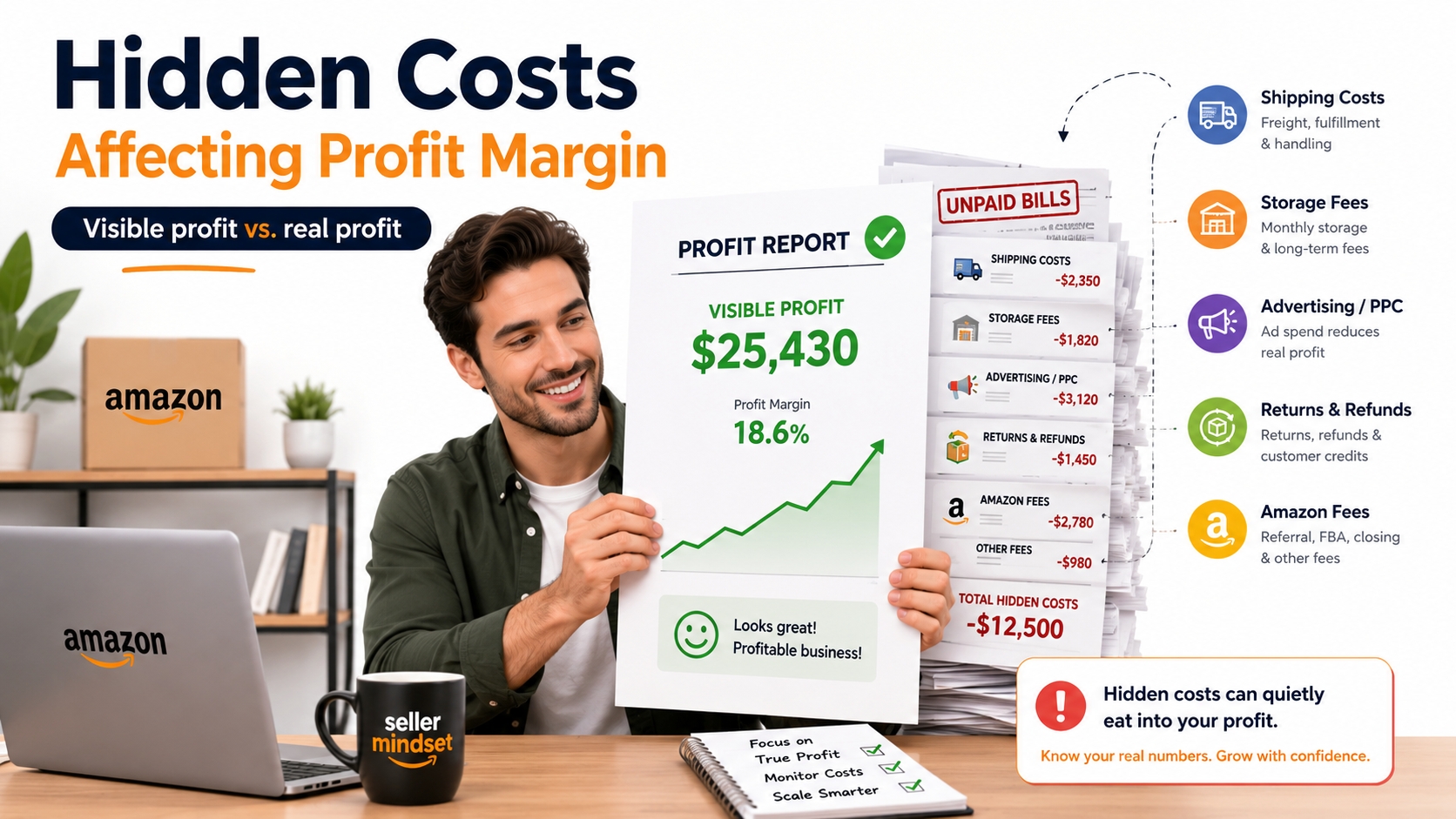
Many sellers fail because they calculate their "best case" scenario and assume it represents the average. To protect your business, you must watch out for these common calculation errors.
Ignoring refunds
Refunds are a cost of doing business. If you sell 100 units and 5 are returned, you are not only losing the referral fee but also paying return processing fees, and you have used up your COGS. A 5% return rate can reduce your net margin by 1-3% depending on the product category. Always factor in an estimated return rate.
Omitting inbound freight
Sellers often quote FOB (Free On Board) prices from their supplier as their COGS. However, this excludes shipping by sea or air to the US, customs duties, and trucking to Amazon's warehouse. "Landed Cost" is the only number that should go into your calculator.
Using average fees for all categories
A 15% referral fee is standard for many categories, but some, like clothing or device accessories, can reach 17%. Furthermore, FBA fees vary wildly between Standard Size vs. Oversize. If you estimate blindly, you will lose money. Always verify fees in Seller Central or use a reliable calculator.
FAQ
How to calculate Amazon profit margin?
To calculate Amazon profit margin, subtract all costs (COGS, Amazon fees, shipping, marketing) from your total revenue to find your Net Profit. Then, divide the Net Profit by the Total Revenue and multiply by 100. Using an automated Amazon profit margin calculator can streamline this process by accounting for all variable fee structures.
What is a good profit margin for Amazon sellers?
A healthy margin for FBA sellers typically falls between 15% to 20%. However, this varies by niche. Private label products often aim for higher margins (30%+) due to product differentiation, whereas wholesale arbitrage sellers might operate on tighter margins (10-15%) due to high competition.
What is the difference between profit margin and ROI?
The main difference lies in the denominator of the calculation. Profit Margin is Net Profit divided by Revenue (how efficiently you convert sales into profit). ROI is Net Profit divided by Investment Cost (how efficiently you use your cash to generate profit). You can have a high margin but a low ROI if your product costs are very high, or a low margin but a high ROI if your product is very cheap to manufacture.
How to calculate break-even price on Amazon?
The break-even price is calculated by summing up all variable costs per unit (COGS, shipping, fulfillment) and fixed costs per unit. This tells you the lowest price you can list without losing money.
Why does high revenue not always mean high profit?
High revenue is simply a measure of sales volume. If your costs (COGS, inbound shipping, PPC, promotions) are proportionally high, your revenue will be eaten up, leaving very little Net Profit. This is common in popular niches with high competition where sellers spend exorbitant amounts on bidding wars for PPC ads.
Next Steps
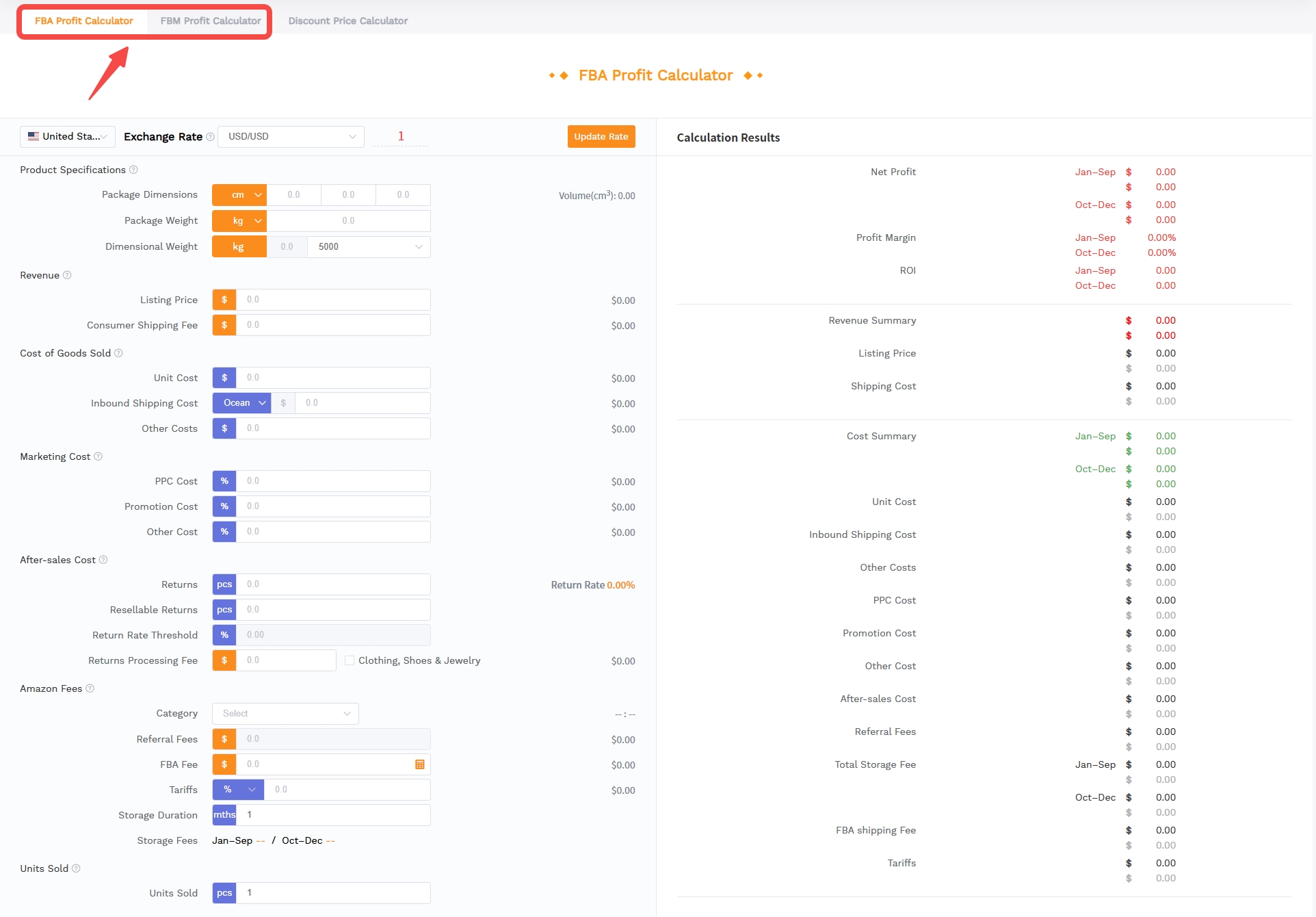
- Input your current product data into our free Amazon Profit Margin Calculator to check your real-time margin.
- Review your monthly ad spend and identify if it is dragging your ROI below 100%.
References
- Amazon Revenue Calculator Guide View
- Amazon FBA Fees Explained View
- SellerSprite Profitability Calculator User Guide View
By SellerSprite Success Team
The SellerSprite Success Team is a group of seasoned e-commerce experts dedicated to empowering Amazon sellers with data-driven insights and tools. With years of experience in FBA analysis, keyword research, and financial modelling, our goal is to simplify complex Amazon metrics into actionable strategies for your business growth.